

Reviewing Your Stock Locations
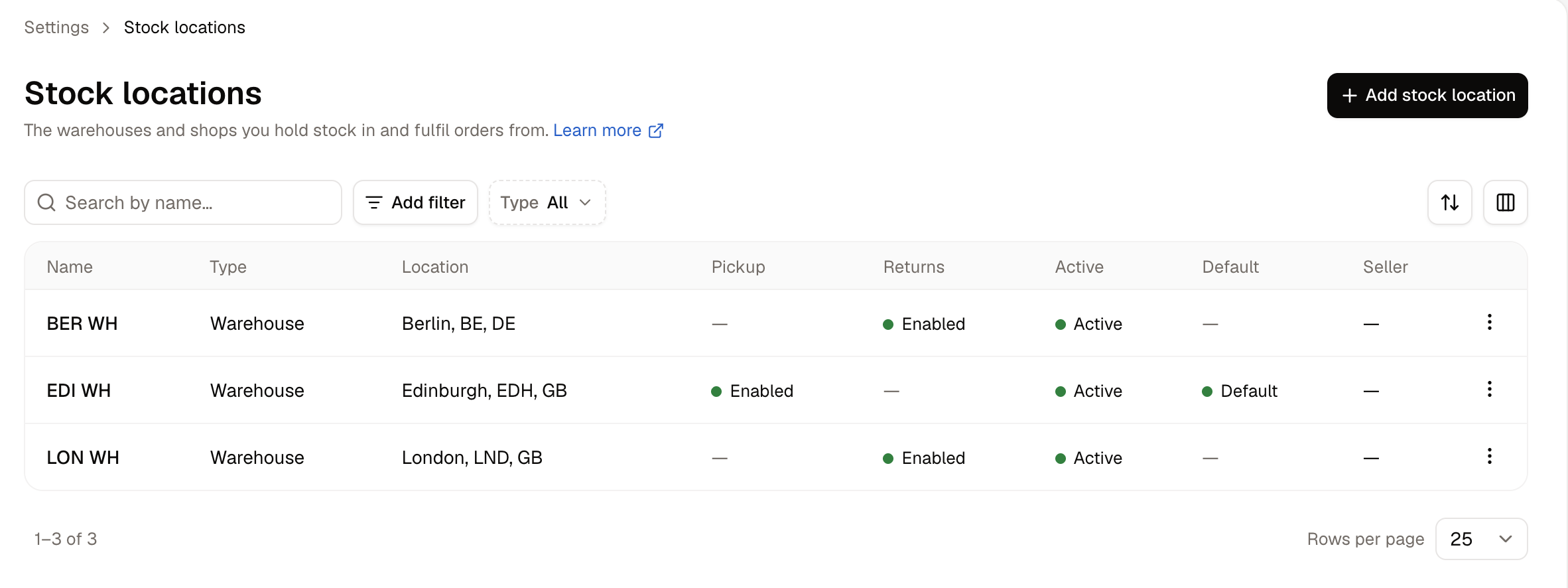
- Name - What the location is called.
- Type - Whether it is a warehouse, a store, or a fulfillment center.
- Location - The city and country from its address.
- Pickup - Whether customers can collect orders from here.
- Returns - Whether returned goods come back here.
- Active - Whether the location is available for fulfilment.
- Default - The location new stock levels propagate to. Only one location carries this.
- Seller - On a marketplace, the seller the location belongs to.
How to Create a Stock Location
Click Add stock location. A panel opens with five groups of settings.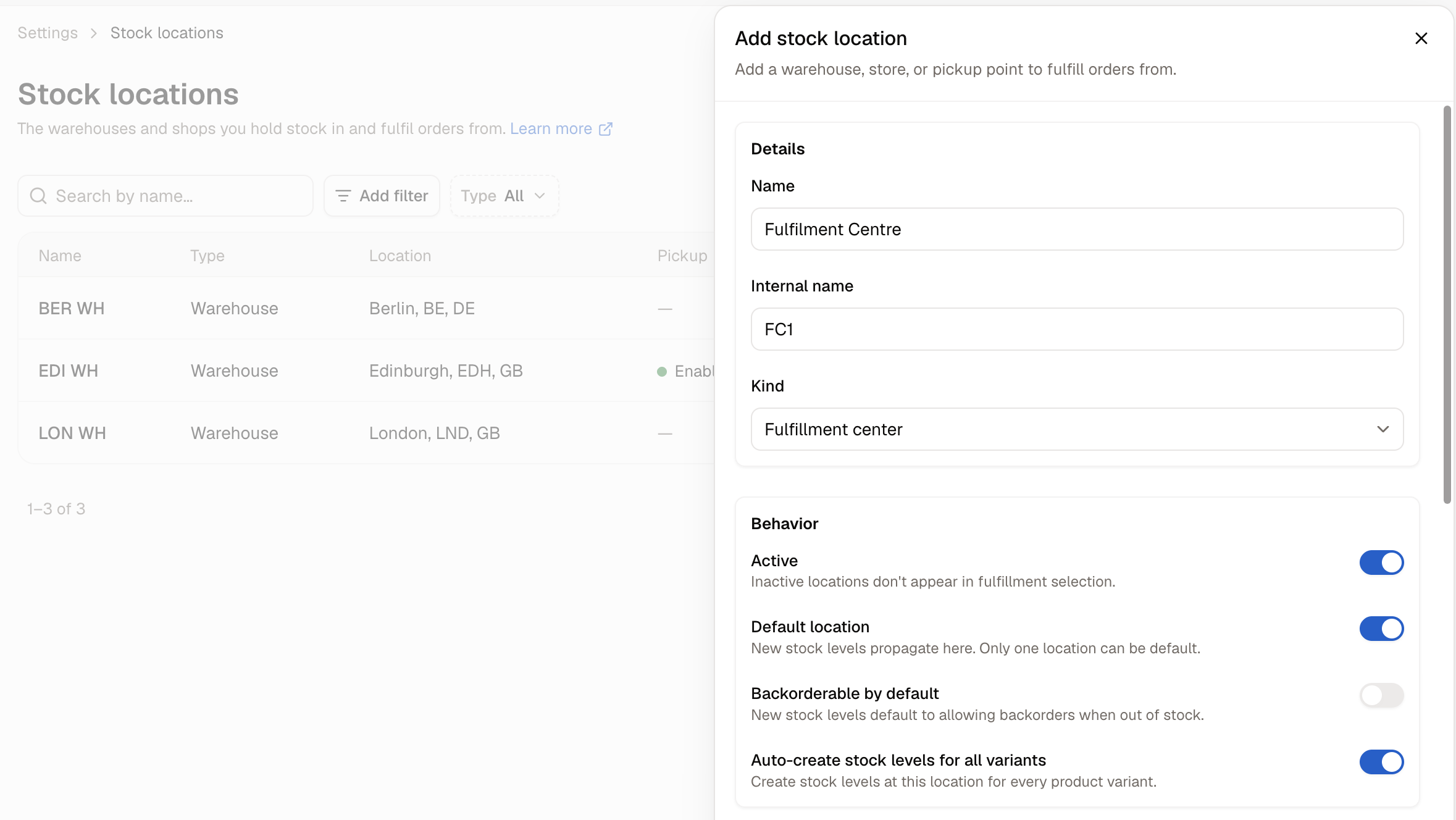
Details
What the location is called and what kind of place it is.- Name - What the location is called. Customers may see this at checkout when choosing a pickup point.
- Internal name - An optional alternative name shown only in the admin, for when your team calls a location something different from what customers see.
- Kind - Warehouse, Store, or Fulfillment center.
Behavior
Four switches that decide how the location handles stock.- Active - On by default. Inactive locations do not appear in fulfillment selection.
- Default location - New stock levels propagate here. Only one location can be default.
- Backorderable by default - New stock levels at this location default to allowing backorders when out of stock.
- Auto-create stock levels for all variants - Creates a stock level at this location for every product variant you sell.
Address
- Address line 1, Address line 2, City, Postal code, Country, State / Province
- Phone
- Company
The State / Province field changes shape with the country you pick, appearing as a dropdown for countries with defined states and a plain text box for those without.
Returns
Whether goods customers send back come here.- Accept returns here - On by default. Returned goods come back to this location. Turn it off if returns are inspected somewhere else.
Accept returns here is on by default, so a new location will start receiving returns as soon as it is created unless you turn it off.
Pickup
Whether customers can collect their orders here in person.- Allow customer pickup - Off by default. Customers can pick orders up from this location at checkout.
- Stock policy - What a customer can collect:
- Only items at this location offers pickup for what is already on this shelf, so a customer is never promised something that is not there.
- Allow transfers from other locations lets them collect items you would bring in from another warehouse first.
- Ready in (minutes) - How long it takes your team to have an order ready to collect. This sets the expectation the customer is given at checkout, so base it on how quickly someone actually picks and packs rather than on how quickly you would like to.
- Pickup instructions - Where the customer should go to collect their order. Worth being specific: the entrance to use, the desk to ask at, and what to bring.
How to Edit a Stock Location
Open the row menu on any location and choose Edit. The panel carries everything from the creation form, plus two sections that only appear once the location exists.Stock at this location
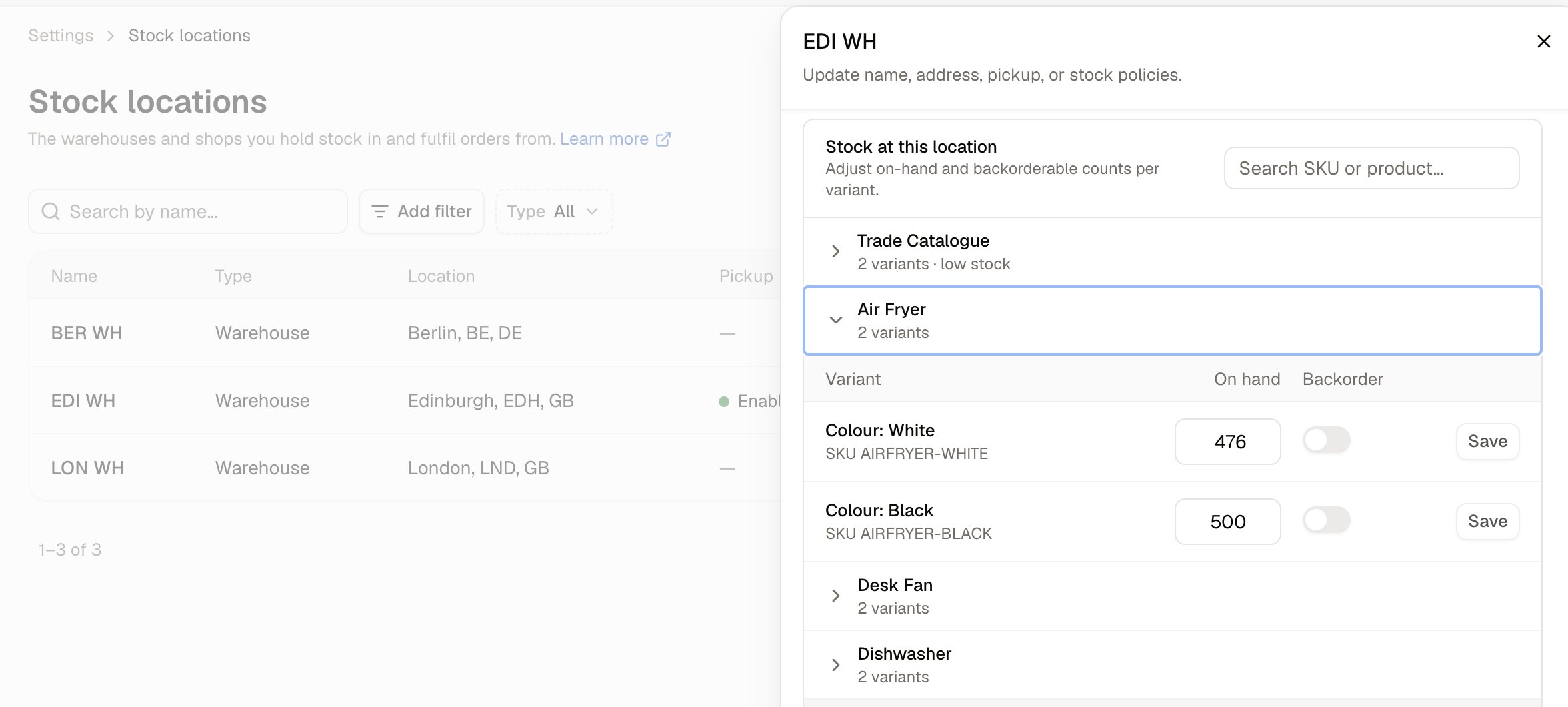
For day-to-day counting, the Inventory page is usually quicker, because it shows every location at once and records a reason against each correction.
Stock history
Every change to this location’s stock, newest first, and what caused it. Where the Stock at this location panel shows what you have now, this shows how it got that way.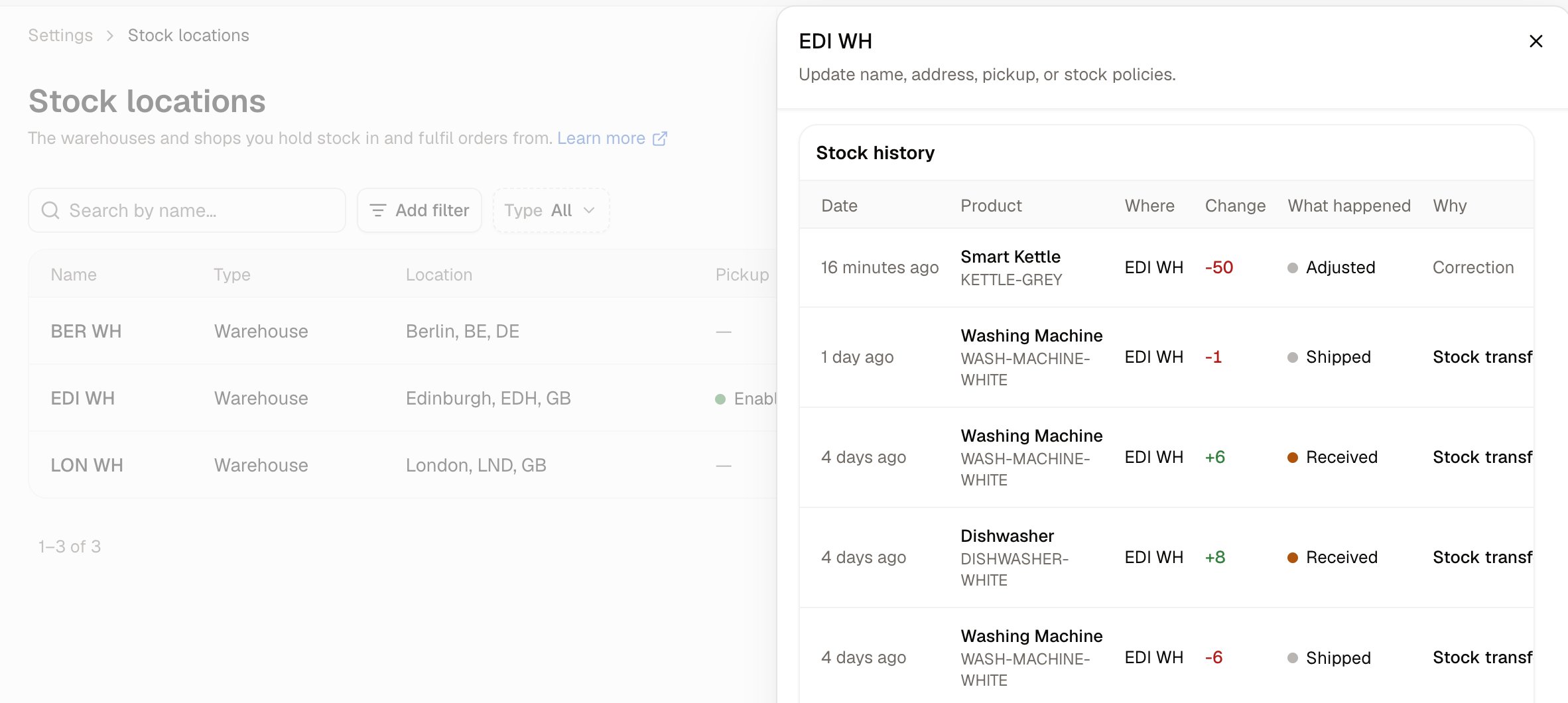
- Date - When the change happened.
- Product - The variant that moved, with its SKU beneath.
- Where - The location the change was recorded against.
- Change - How many units, signed. Additions are shown in green and departures in red.
- What happened - Received, Allocated, Shipped, Released, or Adjusted.
- Why - The document behind the change, such as Purchase order, Stock transfer, Return, Exchange, Fulfillment, Order, or Manual adjustment.
If the location has never held stock, the panel reads Nothing has changed this stock yet.
How to Set a Default Location
The default location is the one new stock levels propagate to. To change it, open the location you want as the default, turn on Default location, and save.Only one location can be default. Turning the switch on for one location takes it off whichever location held it before.
How to Delete a Stock Location
Open the row menu on the locations list and choose Delete.Further Reading
- Inventory - What you have at each location
- Stock Transfers - Moving stock between locations
- Delivery Profiles - Which locations ship where, and at what price