Promotions are a powerful way to drive conversions, reward loyal customers, and support marketing campaigns. Whether you’re offering discounts, free shipping, or bonus products, Spree’s promotion engine gives you fine-grained control over when a promotion applies and what it does.
This guide covers how to create and configure a promotion in Spree. Detailed explanations of individual rules and actions are covered in separate articles.
To create a promotion, navigate to the Promotions tab in the admin dashboard.
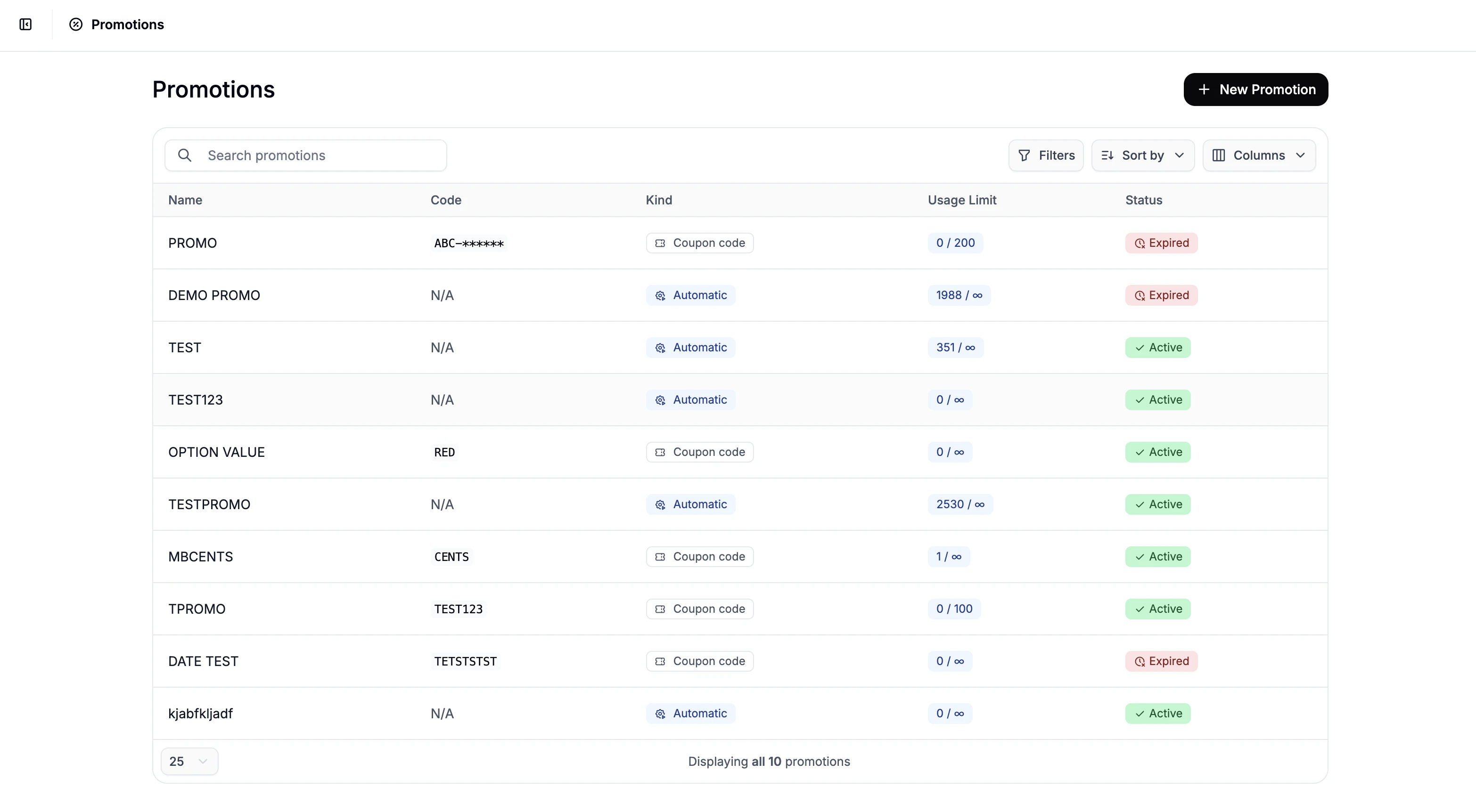 Click New Promotion in the top-right corner, to open the Promotion creation form.
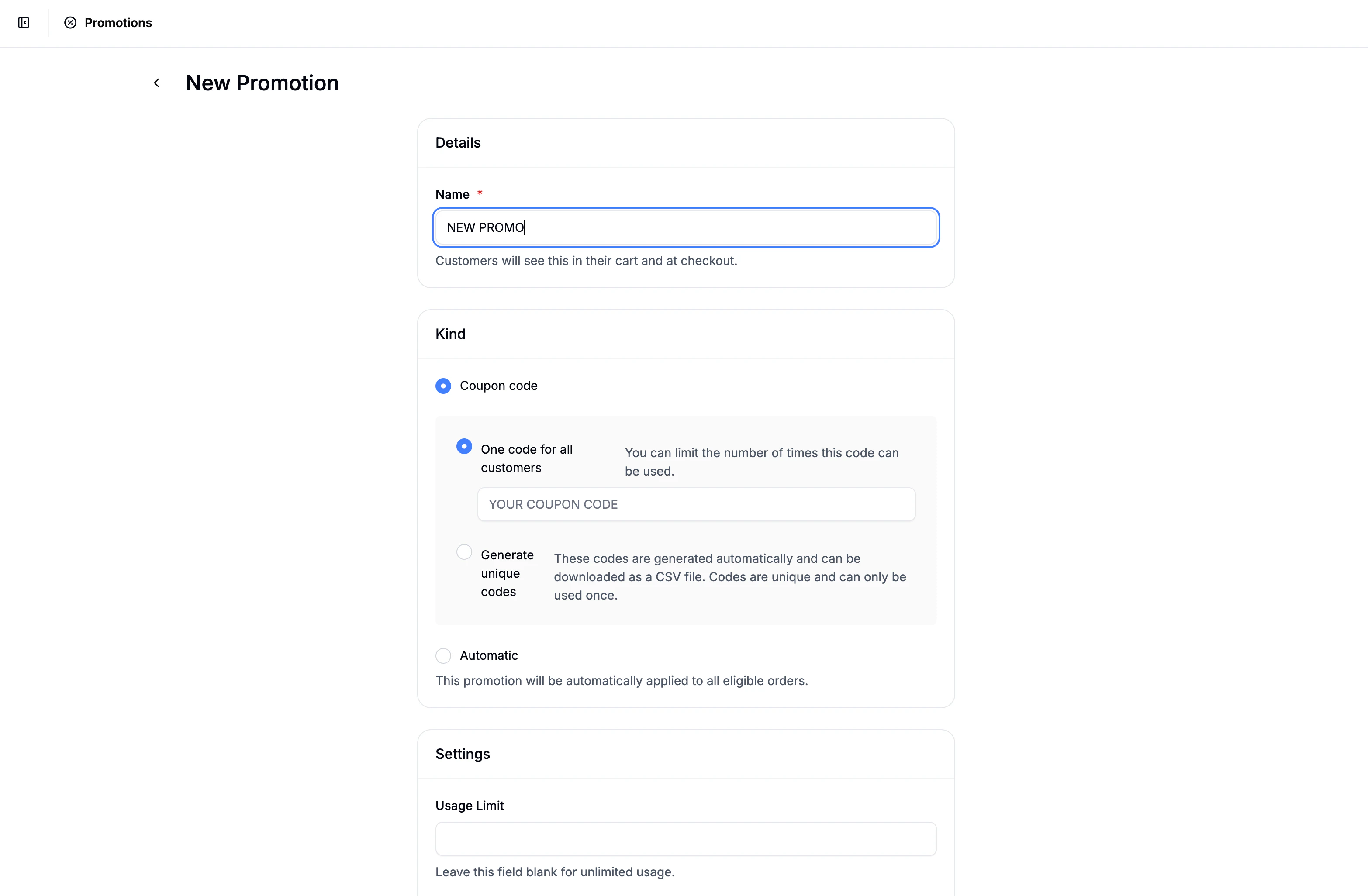 Here you can do the following:
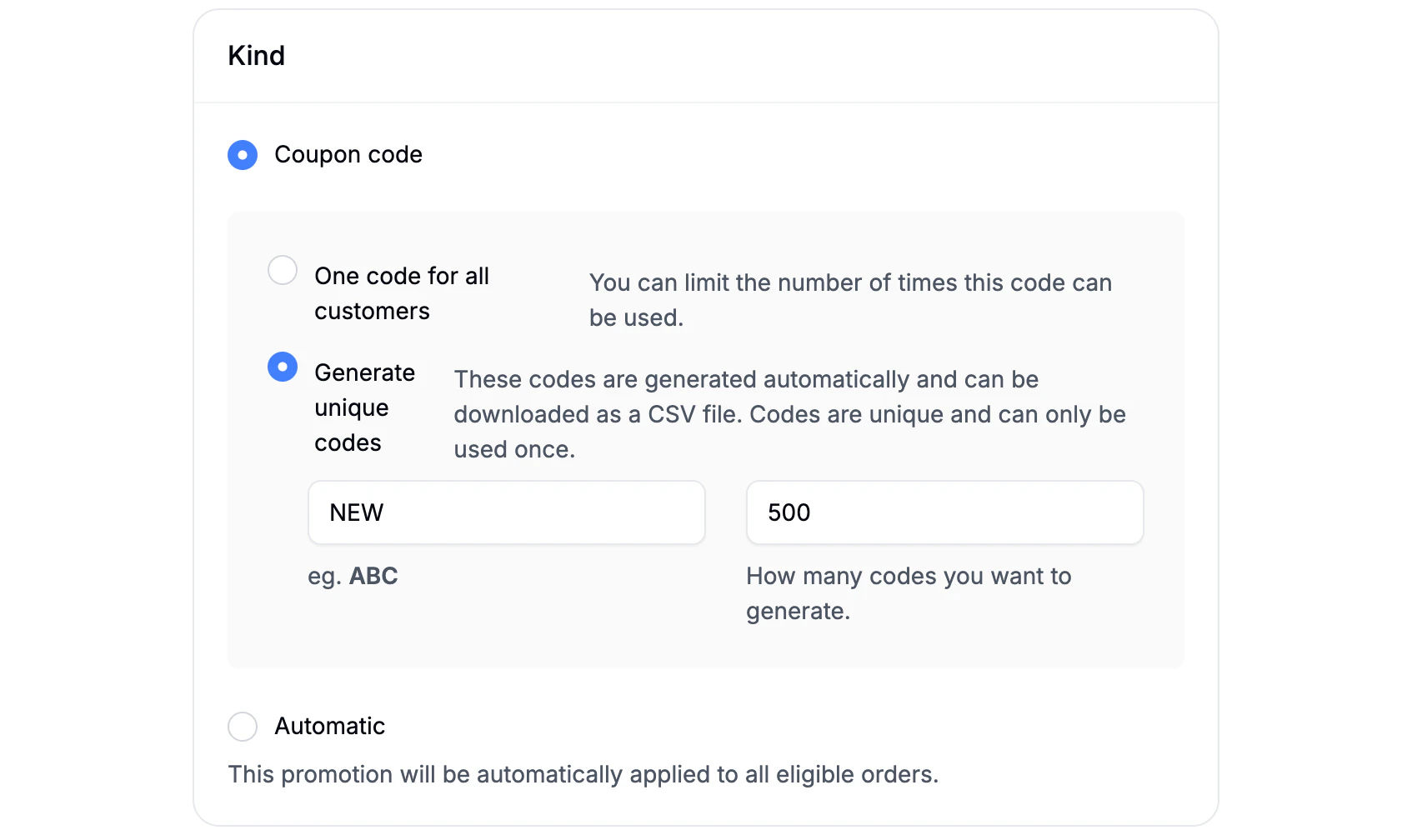 When creating a promotion, you’ll first select how it’s applied:
- Coupon Code - The promotion is applied only when a valid code is entered at checkout. You can choose between:
- Single Code - one shared code (e.g. SUMMER10)
- Generated Codes - automatically generate unique codes
- Optional prefix (e.g. VIP-)
- Set how many codes should be generated
- Unique codes can be downloaded for easier distribution
- Automatic - The promotion is applied automatically at checkout once its conditions are met. No coupon code required.
- This is ideal for sitewide sales, free shipping offers, or first-time customer discounts.
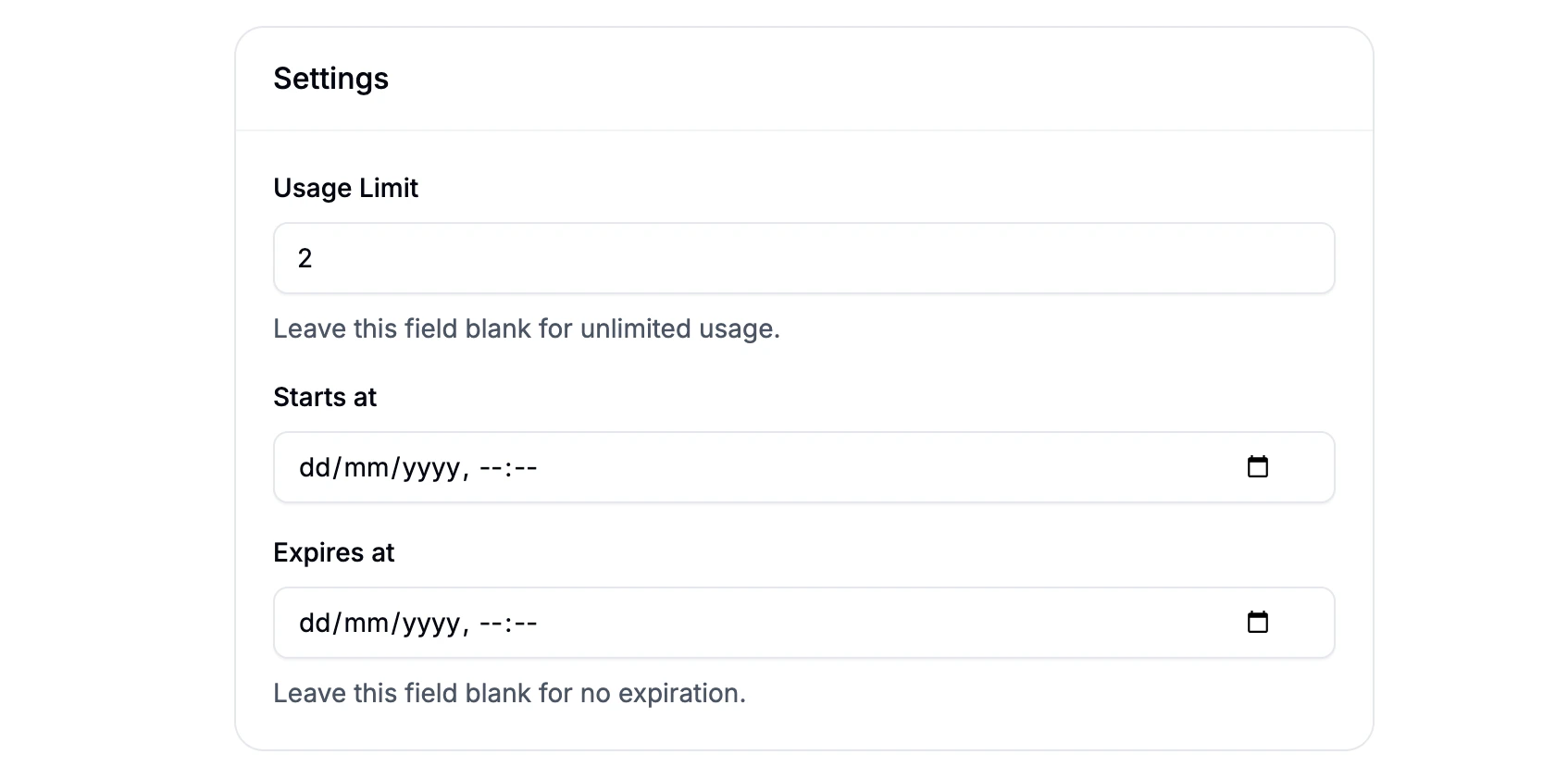 Next, configure the promotion’s availability and limits:
- Usage Limit - Maximum number of times the promotion can be used (optional).
- Starts At - Date and time when the promotion becomes active.
- Expires At - Date and time when the promotion is no longer valid.
Once these fields are set, click Create, the form will update, and you can now configure the rules and actions for the promotion.
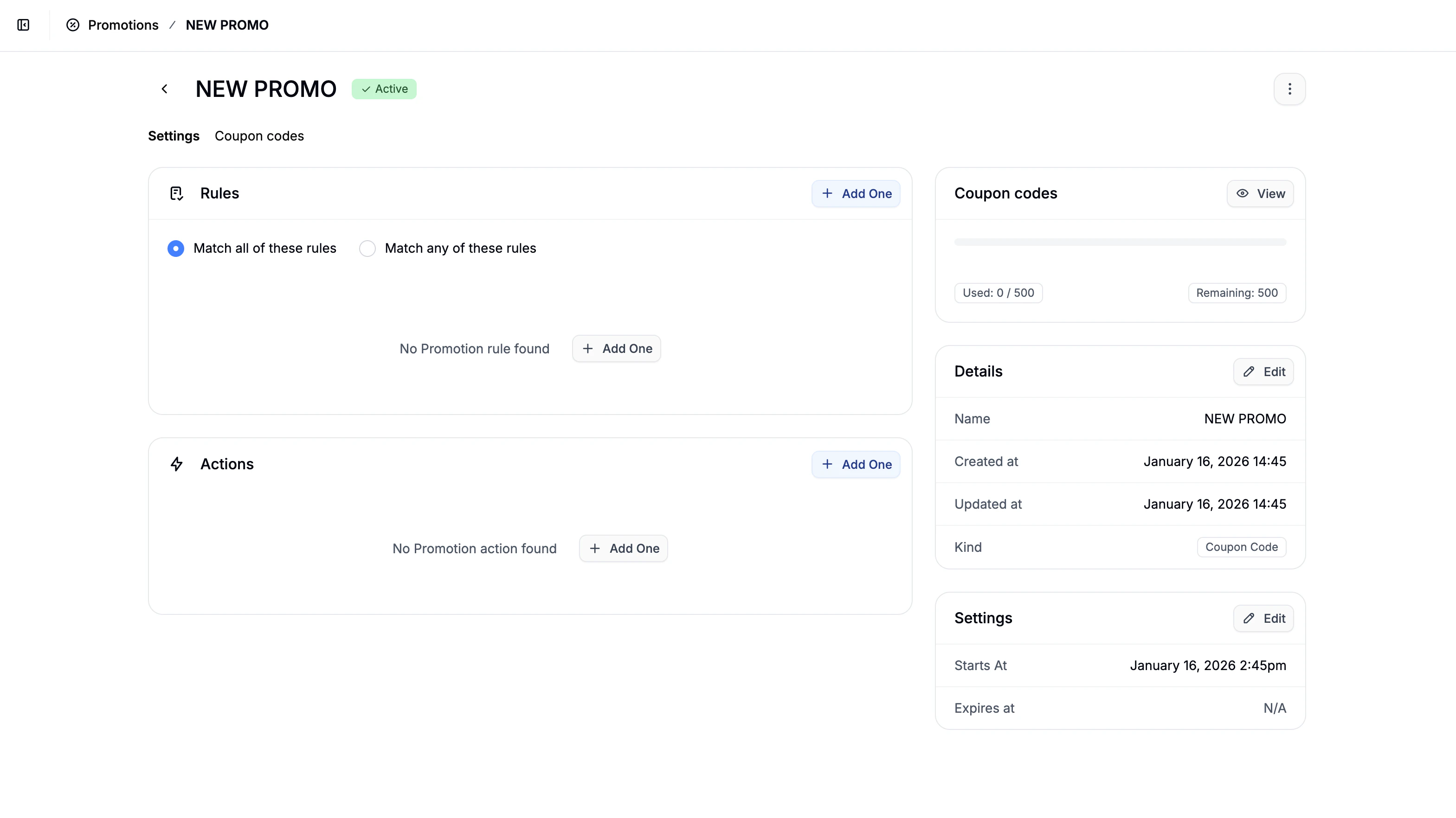 After creating the promotion, you’ll be redirected to the main configuration screen. This is where the actual logic of the promotion is defined.
You’ll see two main sections:
After creating the promotion, you’ll be redirected to the main configuration screen. This is where the actual logic of the promotion is defined.
You’ll see two main sections:
- Rules - determine when the promotion applies
- Actions - determine what happens when it applies
When adding a rule or action, changes are saved immediately.
- Promotion details (name, code)
- Promotion settings (usage limits, start/end dates)
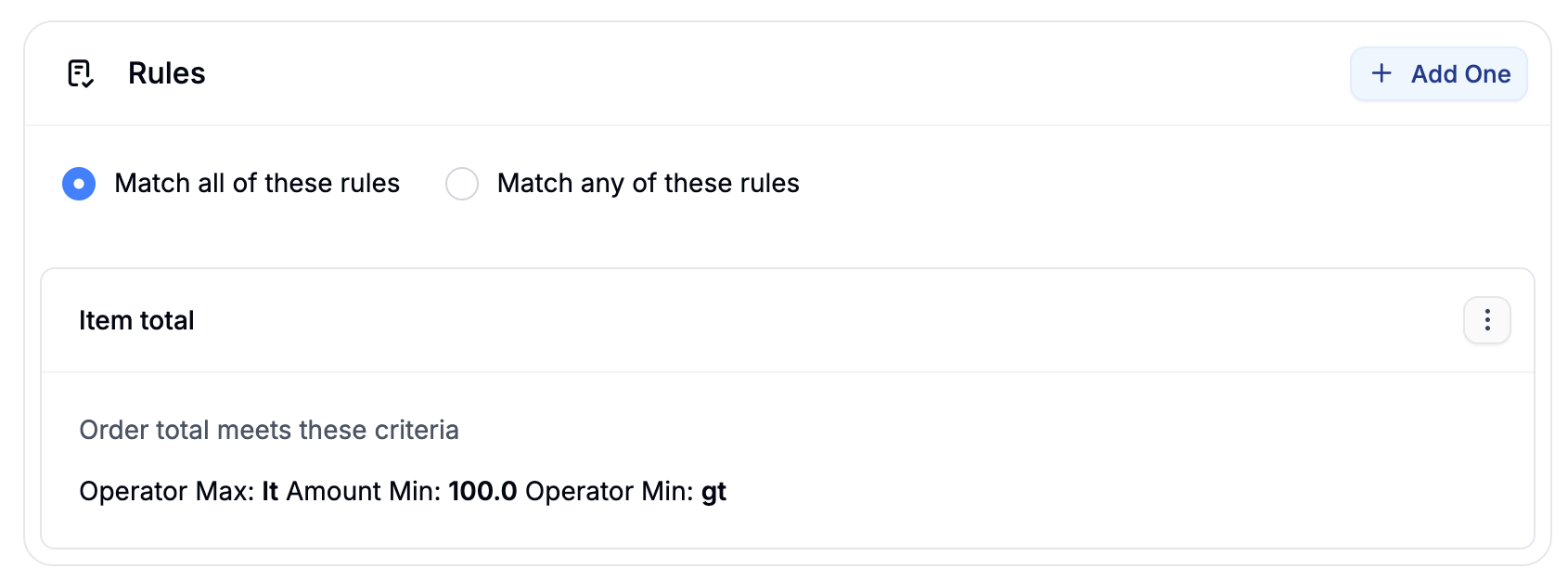 Rules define eligibility. You can combine multiple rules using:
- Match any - at least one rule must be satisfied
- Match all - all rules must be satisfied
Available rule types include:
- Currency - Order must be in a specific currency
- Country - Shipping address must be in a specific country
- Item Total - Order total meets defined thresholds
- Product(s) - Order contains specific products
- User - Available only to specific customers
- First Order - Customer’s first purchase only
- User Logged In - Requires the customer to be logged in
- One Use Per User - Limits redemption to once per customer
- Taxon(s) - Order contains products from selected taxons
- Option Value(s) - Order contains products with specific option values
Rule behavior and configuration details are covered in Promotion Rules.
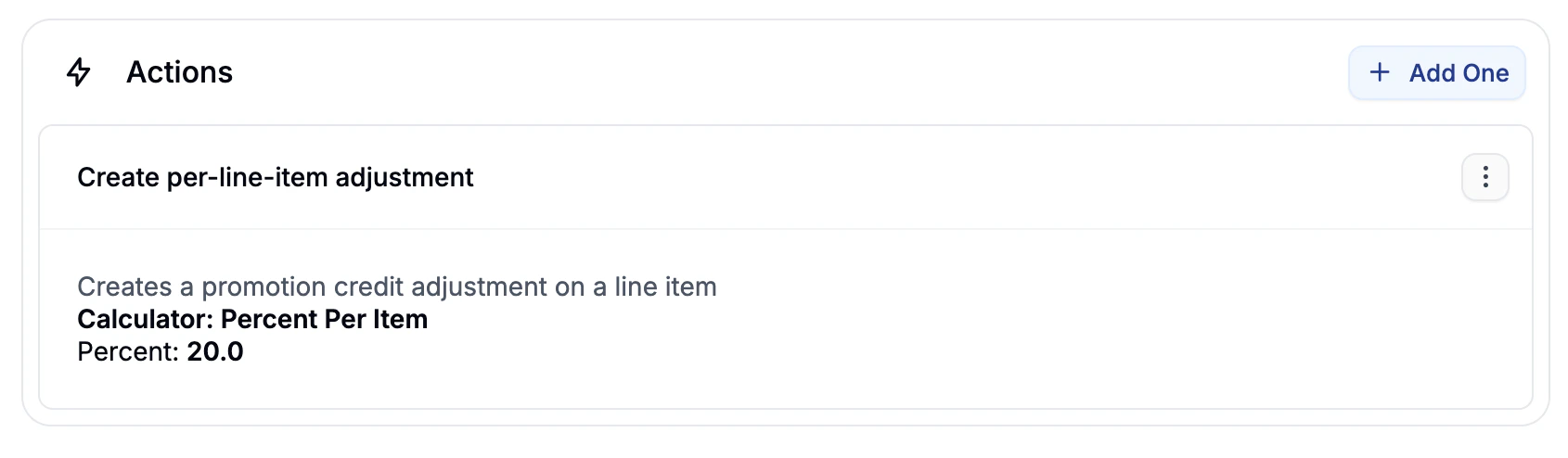 Actions define what the promotion does once its rules are satisfied.
Available actions include:
Actions define what the promotion does once its rules are satisfied.
Available actions include:
- Create whole-order adjustment - Applies a discount to the entire order.
- Create per-line-item adjustment - Applies discounts to individual line items.
- Create line items - Automatically adds products (e.g. gifts) to the cart.
- Free shipping - Makes all shipments for the order free.
Each action supports one or more calculators (e.g. flat rate, percentage, tiered discounts). These are covered in detail in Promotion Actions.
Once you’ve added the promotion’s rules and actions, it’s ready to be used by customers.
- Automatic promotions will apply at checkout as soon as the conditions are met.
- Coupon code promotions can be redeemed when customers enter the code during checkout.
How you market, distribute, or communicate the promotion (e.g., email campaigns, banners, social media, influencer codes) is entirely up to you and your team.
10% Off with a Coupon Code
- Type: Coupon Code (single code)
- Rule: None (or minimum order total)
- Action: Whole-order adjustment → 10% discount
Free Shipping Over $50
- Type: Automatic
- Rule: Item total ≥ $50
- Action: Free shipping
First-Time Customer Discount
- Type: Automatic
- Rules: First order, User logged in
- Action: Whole-order adjustment → flat or percentage discount
Buy from a Category, Get a Discount
- Type: Automatic
- Rule: Taxon(s)
- Action: Per-line-item adjustment
Advanced Example: VIP Coupon for EU Customers
- Type: Coupon Code (generated unique codes with prefix)
- Rules: User, One use per user, Currency
- Action: Whole-order adjustment with tiered percentage calculator

