> ## Documentation Index
> Fetch the complete documentation index at: https://spreecommerce.org/docs/llms.txt
> Use this file to discover all available pages before exploring further.
# Returns & Reasons
> Learn how to set up the reasons your team picks from when handling returns, claims, refunds and cancellations in Spree Commerce.
Every time your team sends money back, takes goods back, or calls off an order, Spree asks them why. This screen holds the lists they pick from.
Keeping these as fixed lists rather than free text is what makes the answers countable. "Damaged in transit" chosen 40 times this month is a conversation with your carrier. Forty differently worded notes are not.
To manage them, navigate to **Settings → Returns & reasons**, under the **Shipping & delivery** group.
 ## The Four Lists
The page holds four independent lists, each in its own card. A reason added to one does not appear in the others, because each answers a different question.
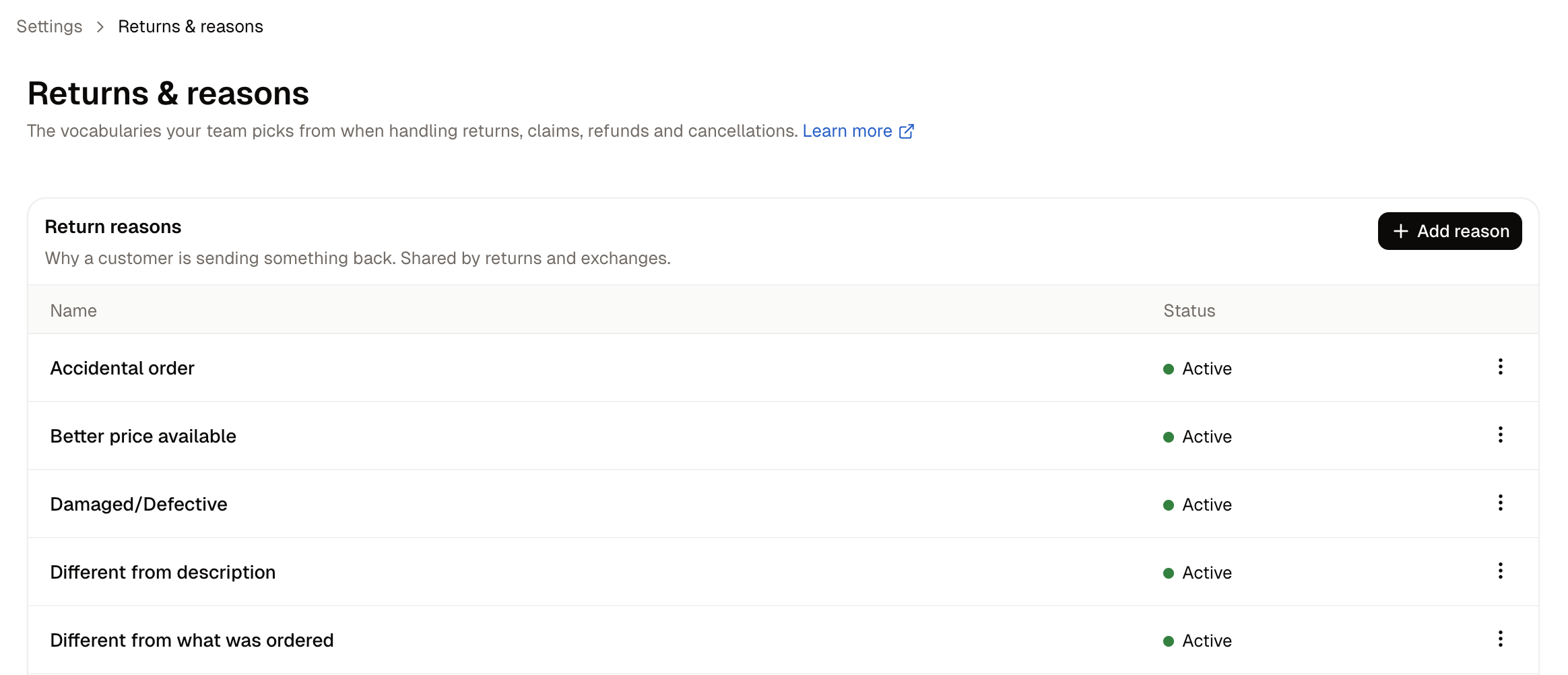
### Return Reasons
Why a customer is sending something back. Shared by returns and exchanges, so one list covers both.
These are the reasons your team picks when a customer wants to send goods back, and they are the most revealing list on the page. Read together over a few months they tell you whether you have a product problem, a sizing problem, a photography problem or a delivery problem.
A new store arrives with nine:
* Accidental order
* Better price available
* Damaged/Defective
* Different from description
* Different from what was ordered
* Missed estimated delivery date
* Missing parts or accessories
* No longer needed/wanted
* Unauthorized purchase
It's worth noting that these reasons can separate causes you control from causes you do not. For exmaple, "Different from description" is something you can fix. "No longer needed/wanted" is not.
### Claim Reasons
What went wrong with a delivery: damaged, missing or wrong item.
A claim is opened when the order did not arrive as it should have, rather than when the customer simply wants to send something back. The distinction matters because a claim usually means a cost to recover from a carrier or a supplier, where a return is a normal cost of selling.
A new store arrives with five:
* Arrived damaged
* Item not as described
* Missing item from order
* Never arrived
* Wrong item sent
Ideally, claim reasons should convey what went wrong on your side rather than issues reported on the customer side. Mixing the two makes it impossible to tell a preference problem from a fulfilment problem, which is the main thing this list is for.
### Refund Reasons
Why money went back. Used for reporting across every refund.
This list applies to any refund, whether or not goods came back. That makes it the one your finance team is most likely to want extended, because "Return processing" does not distinguish a goodwill gesture from a price correction from a cancelled order.
A new store arrives with one, **Return processing**, so this is usually the first list worth adding to.
### Order Cancellation Reasons
Why an order was called off before it shipped. Staff pick one when cancelling.
A new store arrives with seven:
* Customer changed their mind
* Duplicate order
* Order expired
* Out of stock
* Payment declined
* Staff error
* Suspected fraud
These reasons separate cancellations you can do something about from the ones you cannot. A rise in **Out of stock** or **Payment declined** points at a problem worth fixing, where **Customer changed their mind** is a normal risk of selling.
A reason is not required when cancelling an order. The picker reads **No reason given** until somebody chooses one, so cancellations can still go unexplained even with the list in place.
## How to Add a Reason
Find the card for the kind of reason you are adding, then click **Add reason** on that card.
All four cards carry a button labelled **Add reason**. The card you click on decides which list the reason joins, and a reason cannot be moved afterwards.
* **Name** - A description of the reason that staff will pick from a dropdown. Keep it short and unambiguous.
* **Available on new records** - On by default. Controls whether the reason is offered when staff open a new return, claim, refund or cancellation.
Click **Create**.
## How to Retire a Reason
A reason that has been used on a record carries an **In use** badge, and can be edited but not deleted. That is deliberate: deleting it would leave those past records without an explanation.
To stop offering a reason without losing your history, open it and turn off **Available on new records**. It disappears from the dropdowns staff see, and every record that already used it keeps its reason.
Unused reasons can be deleted outright from the row menu.
Renaming a reason is safe. Every record pointing at it follows the new name, so correcting a spelling or sharpening the wording does not orphan anything.
## Further Reading
* [Returns](/docs/user/orders/returns) - Processing a return once the reasons are set up
* [Claims](/docs/user/orders/claims) - Handling a delivery that went wrong
* [Refunding Orders](/docs/user/orders/refunding-orders) - Sending money back
* [Policies](/docs/user/settings/policies) - Publishing your returns policy
This documentation is built and hosted on [Mintlify](https://mintlify.com), a developer documentation platform.
## The Four Lists
The page holds four independent lists, each in its own card. A reason added to one does not appear in the others, because each answers a different question.
### Return Reasons
Why a customer is sending something back. Shared by returns and exchanges, so one list covers both.
These are the reasons your team picks when a customer wants to send goods back, and they are the most revealing list on the page. Read together over a few months they tell you whether you have a product problem, a sizing problem, a photography problem or a delivery problem.
A new store arrives with nine:
* Accidental order
* Better price available
* Damaged/Defective
* Different from description
* Different from what was ordered
* Missed estimated delivery date
* Missing parts or accessories
* No longer needed/wanted
* Unauthorized purchase
It's worth noting that these reasons can separate causes you control from causes you do not. For exmaple, "Different from description" is something you can fix. "No longer needed/wanted" is not.
### Claim Reasons
What went wrong with a delivery: damaged, missing or wrong item.
A claim is opened when the order did not arrive as it should have, rather than when the customer simply wants to send something back. The distinction matters because a claim usually means a cost to recover from a carrier or a supplier, where a return is a normal cost of selling.
A new store arrives with five:
* Arrived damaged
* Item not as described
* Missing item from order
* Never arrived
* Wrong item sent
Ideally, claim reasons should convey what went wrong on your side rather than issues reported on the customer side. Mixing the two makes it impossible to tell a preference problem from a fulfilment problem, which is the main thing this list is for.
### Refund Reasons
Why money went back. Used for reporting across every refund.
This list applies to any refund, whether or not goods came back. That makes it the one your finance team is most likely to want extended, because "Return processing" does not distinguish a goodwill gesture from a price correction from a cancelled order.
A new store arrives with one, **Return processing**, so this is usually the first list worth adding to.
### Order Cancellation Reasons
Why an order was called off before it shipped. Staff pick one when cancelling.
A new store arrives with seven:
* Customer changed their mind
* Duplicate order
* Order expired
* Out of stock
* Payment declined
* Staff error
* Suspected fraud
These reasons separate cancellations you can do something about from the ones you cannot. A rise in **Out of stock** or **Payment declined** points at a problem worth fixing, where **Customer changed their mind** is a normal risk of selling.
A reason is not required when cancelling an order. The picker reads **No reason given** until somebody chooses one, so cancellations can still go unexplained even with the list in place.
## How to Add a Reason
Find the card for the kind of reason you are adding, then click **Add reason** on that card.
All four cards carry a button labelled **Add reason**. The card you click on decides which list the reason joins, and a reason cannot be moved afterwards.
* **Name** - A description of the reason that staff will pick from a dropdown. Keep it short and unambiguous.
* **Available on new records** - On by default. Controls whether the reason is offered when staff open a new return, claim, refund or cancellation.
Click **Create**.
## How to Retire a Reason
A reason that has been used on a record carries an **In use** badge, and can be edited but not deleted. That is deliberate: deleting it would leave those past records without an explanation.
To stop offering a reason without losing your history, open it and turn off **Available on new records**. It disappears from the dropdowns staff see, and every record that already used it keeps its reason.
Unused reasons can be deleted outright from the row menu.
Renaming a reason is safe. Every record pointing at it follows the new name, so correcting a spelling or sharpening the wording does not orphan anything.
## Further Reading
* [Returns](/docs/user/orders/returns) - Processing a return once the reasons are set up
* [Claims](/docs/user/orders/claims) - Handling a delivery that went wrong
* [Refunding Orders](/docs/user/orders/refunding-orders) - Sending money back
* [Policies](/docs/user/settings/policies) - Publishing your returns policy
This documentation is built and hosted on [Mintlify](https://mintlify.com), a developer documentation platform.